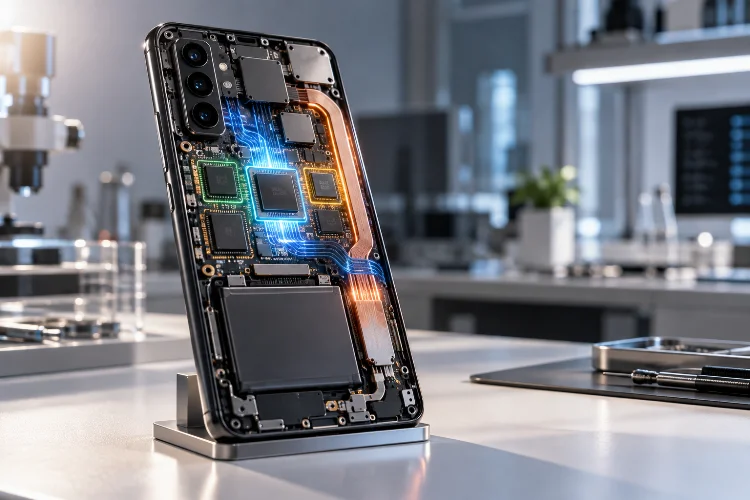
Running machine learning directly on an Android device sounds straightforward: load a model, pass in some data, and return a prediction.
In reality, mobile inference is a balancing act.
A model that runs beautifully on a desktop GPU may be far too large, power-hungry, or slow for a mid-range phone. Real Android devices have limited memory, thermal constraints, different chipsets, and very different combinations of CPUs, GPUs, DSPs, and NPUs.
That is why running machine learning models efficiently on Android devices requires more than simply converting a trained model into a mobile format.
Google currently recommends tools such as LiteRT, ML Kit, and MediaPipe depending on the task.
LiteRT is designed specifically for efficient custom-model inference on resource-constrained mobile and edge hardware, with support for accelerators such as GPUs, DSPs, and NPUs.
The real goal is not maximum model complexity. It is getting the best useful prediction within acceptable latency, memory, battery, and thermal limits.
Choose the Right Runtime Before Optimizing the Model
The first efficiency decision is choosing the correct Android ML stack.
If you need a common feature such as text recognition, barcode scanning, face detection, or image labeling, ML Kit may already provide a production-ready solution.
For custom classification, regression, or detection models, LiteRT offers more control and is optimized for edge inference.
MediaPipe is generally more suitable when the application needs continuous real-time processing, such as hand tracking, pose estimation, or streaming vision pipelines.
This distinction matters because each stack already solves different performance problems.
Building a completely custom inference pipeline for a common OCR task may introduce more processing overhead and maintenance than simply using a highly optimized ML Kit implementation.
Start with the simplest runtime that satisfies the product requirement.
Optimization becomes much easier when the underlying execution engine already matches the workload.
Reduce Model Size Before Touching Application Code
A large neural network does not only increase download size.
It also affects model loading time, memory pressure, storage, and potentially inference latency.
Before optimizing Kotlin code, evaluate whether the model itself is unnecessarily large.
A smaller architecture can sometimes provide almost the same prediction quality at a fraction of the computational cost.
For mobile deployment, model compression techniques such as pruning and quantization can be particularly useful.
Quantization reduces the precision used to represent model weights and, depending on the model, activations.
For example, a model originally using 32-bit floating-point values may be converted to lower-precision formats.
The result can be a significantly smaller model with lower memory bandwidth requirements.
The trade-off is accuracy.
Never assume compression is free.
Benchmark the compressed model against your original validation dataset and verify that the quality loss remains acceptable for the actual user experience.
Use Hardware Acceleration Where It Actually Helps
Modern Android devices often contain several compute engines.
The CPU is only one option.
GPUs can handle massively parallel operations well, while newer devices may include DSPs or NPUs specifically designed for neural-network workloads.
LiteRT is optimized to take advantage of these hardware accelerators when supported.
This can dramatically reduce inference latency.
However, hardware acceleration should always be benchmarked rather than assumed to be faster.
A very small model may run efficiently on the CPU because transferring tensors to an accelerator introduces overhead.
Larger convolutional or transformer-style workloads may benefit far more from dedicated acceleration.
Device fragmentation also matters.
The fastest delegate on one chipset might behave differently on another.
A robust Android ML application should therefore test representative device tiers and select an execution strategy based on measured results.
Performance engineering is rarely about choosing one backend for every phone.
Keep Preprocessing Out of the Critical Path
Developers often focus intensely on model inference time while ignoring preprocessing.
For image models, preprocessing can include:
decoding, resizing, cropping, normalization, color conversion, and tensor construction.
Those steps may consume as much time as the model itself.
Suppose inference takes 12 milliseconds but preparing the bitmap takes 28 milliseconds.
Optimizing the neural network will not solve the larger bottleneck.
Reuse buffers where practical.
Avoid unnecessary bitmap copies.
Match camera input formats to what the processing pipeline expects.
Google’s ML Kit guidance recommends using efficient camera formats and avoiding unnecessary frame processing in real-time workloads.
The same principle applies after inference.
Post-processing such as sorting thousands of detections or applying complex transformations can quietly become the real cost.
Measure the full pipeline:
Input → Preprocessing → Inference → Post-processing → UI
not just the neural network call.
Drop Frames Instead of Building a Queue
Real-time vision creates a classic performance problem.
A camera might produce 30 or 60 frames every second, while the model can process only 15.
If every frame is queued, latency grows continuously.
After several seconds, the model may be analyzing an image the user captured long ago.
That is usually worse than dropping frames.
For real-time CameraX pipelines, ML Kit recommends using ImageAnalysis.STRATEGY_KEEP_ONLY_LATEST. If inference is still processing one image, older queued frames are discarded and only the newest relevant frame is retained.
This creates a useful principle:
Real-time systems should optimize freshness, not completeness.
A gesture detector rarely needs every camera frame.
It needs the latest useful frame quickly.
Similarly, object-detection guidance warns that heavier configurations, such as detecting multiple objects simultaneously, may reduce frame rate on many devices.
Design the model workload around the frame rate your users actually need.
Reuse the Model Instead of Reloading It
Model initialization can be expensive.
Loading weights, allocating tensor buffers, configuring delegates, and warming execution paths may take noticeable time.
Do not reload the model before every prediction.
Create an inference component with an appropriate lifecycle and reuse it across multiple requests.
For example:
Camera Screen → Shared Model Instance → Repeated Inference
is much better than:
Frame → Load Model → Infer → Destroy Model
Repeated initialization increases CPU cost, memory churn, and latency.
The same principle applies to ML Kit detectors.
Initialize the detector once for the relevant screen or feature, then release resources when that feature genuinely ends.
For larger models, you may also consider prewarming.
If a user is likely to open an AI feature soon, initializing the model shortly before the interaction can reduce visible latency.
But avoid loading everything at application startup.
A model that 5% of users ever need should not automatically become a startup tax for everyone.
Control Threading Without Oversubscribing the CPU
Inference should generally stay off the UI thread.
But moving it to background threads does not mean creating as many threads as possible.
Too much parallelism can make the app slower.
Model inference may already use internal multithreading. If your application launches several inference jobs simultaneously, those jobs can compete with one another, the main thread, rendering, and system processes.
Context switching and CPU contention then increase.
ML Kit normally uses an internally managed optimized thread pool, although some APIs allow custom executors for specialized control.
For CPU-heavy inference, bounded concurrency is usually safer.
If the application processes one camera stream, one inference job at a time may be enough.
If you run multiple models, benchmark whether parallel inference actually improves throughput without damaging UI responsiveness.
The fastest individual inference means little if scrolling starts dropping frames.
Watch Memory, Not Just Latency
Machine learning models can consume substantial memory.
The model weights are only part of the total.
You also need input tensors, output tensors, intermediate activations, image buffers, post-processing objects, and possibly accelerator-specific memory.
Large models can therefore create significant memory pressure even when their APK footprint looks reasonable.
This matters because Android devices share memory across applications.
An app that consumes too much can trigger frequent garbage collection, force cached processes out of memory, or crash under extreme conditions.
Reuse tensor buffers when possible.
Avoid retaining large bitmaps after inference.
Keep only the results needed by the UI.
Memory-efficient models may also provide better sustained performance because less data needs to move through the memory hierarchy.
A model that is theoretically faster but consumes twice as much RAM is not always the better mobile choice.
Think About Thermal Performance Over Time
A benchmark that runs for five seconds does not tell you how a model behaves after ten minutes.
Sustained ML workloads generate heat.
Once a device crosses thermal limits, the system may reduce CPU, GPU, or NPU performance.
Inference latency then increases.
Android’s newer AI-related media documentation explicitly considers hardware capability and thermal behavior, even rejecting unsupported devices in some workloads to avoid severe frame drops or thermal throttling.
This matters for continuous workloads such as:
live camera analysis, navigation, AR, audio processing, and video enhancement.
Measure sustained performance rather than only first-run latency.
If thermal throttling appears, consider reducing inference frequency, input resolution, model complexity, or accelerator usage.
The fastest possible model is not always the most stable model.
Choose Bundled or Downloadable Models Carefully
Model delivery affects both app size and user experience.
Bundling a model inside the application makes it available immediately and works offline from first launch.
The downside is a larger download.
Downloading the model later reduces initial app size but introduces a setup dependency before inference can begin.
ML Kit documentation demonstrates this trade-off clearly. For custom image labeling, a bundled pipeline increases the application size more significantly, while an unbundled approach keeps the initial package smaller but may require downloading components before first use.
Google also recommends dynamic feature modules for optional ML capabilities when reducing initial Android app size is important.
Choose based on product expectations.
If scanning documents is the core feature, the model should probably be available immediately.
If an advanced AI editor is optional, on-demand delivery may be better.
Benchmark the Whole Device Range
One of the biggest mobile ML mistakes is testing only on a flagship development phone.
A model running in 20 milliseconds on a premium device might take 150 milliseconds on an older or mid-range phone.
Hardware accelerators vary widely.
Memory availability varies.
Thermal behavior varies.
Even delegate compatibility can differ.
Create performance tiers.
For example:
High-end: full model with accelerator
Mid-range: optimized or quantized model
Low-end: smaller model or reduced inference frequency
Unsupported: cloud fallback or feature unavailable
This adaptive strategy often creates a better experience than forcing every phone through the same workload.
Mobile AI architecture should respect what each device can realistically deliver.
Measure Accuracy and Performance Together
ML optimization always involves trade-offs.
Reducing input resolution speeds up image models but may reduce detection accuracy.
Quantization reduces model size but can affect prediction quality.
Lowering inference frequency improves battery life but may make real-time tracking feel less responsive.
Do not optimize only one metric.
Create a scorecard that includes:
latency, model size, peak memory, sustained temperature, battery impact, and task accuracy.
Then test those metrics across realistic devices.
This prevents a common problem where an ML engineer improves benchmark accuracy by 1% while doubling inference time.
On mobile, a slightly less accurate model that responds instantly may provide a much better user experience than a sophisticated model that makes every interaction feel slow.
Efficiency is part of model quality.
Running machine learning models efficiently on Android devices requires optimizing the entire inference pipeline, not just the neural network.
Choose the right runtime, compress models where quality allows, use hardware acceleration strategically, reduce preprocessing overhead, control threading, reuse model instances, and monitor memory and thermal behavior.
Real-time applications should prioritize fresh data rather than processing every frame, while model delivery should balance immediate availability against download size.
Most importantly, benchmark on real devices.
Take one ML feature in your app and measure its preprocessing, inference, post-processing, memory, and sustained thermal cost separately.
Then optimize the largest bottleneck first. Efficient Android ML is not about running the biggest model possible – it is about delivering useful intelligence within the limits of the device.